Learn, Teach, Earn

Golearnam
Join Ongoing Creator ChallengeJoin Ongoing
LoginRegister for FREE
Join Ongoing Creator Challenge
Explore All CoursesHealth, Medicine & Wellness8Digital Marketing & E-Commerce5Business, Finance & Law5Technology & Development2AI & Artificial Intelligence2Creative Arts, Design & Media2Lifestyle, Personal Development & Hobbies1Education, Training & Language1Real Estate & Construction0Farming, Agriculture & Environment0Trades, Industrial & Manual Skills0Logistics, Supply Chain & Operations0
Shop All Digital ProductsMarriage And Relationship12Health, Medicine & Wellness15Lifestyle, Personal Development & Hobbies12Technology & Development1Trades, Industrial & Manual Skills0Farming, Agriculture & Environment3Real Estate & Construction0Logistics, Supply Chain & Operations0Education, Training & Language14Business Finance & Legal8Cooking & Culinary Arts /2Digital Marketing & E-Commerce11Artificial Intelligence(AI)1Creative Arts, Design & Media4
Find a Tutor or CreatorFind a TutorFind a Creator
Guides & TutorialsLatest Articles & Updates
Privacy PolicyTerms of ServiceSupported Countries
Our StoryMission & VisionOur TeamPartnersContact Us
Create WebinarsBecome a TutorSell ProductsAffiliate ProgramFor CreatorsFor OrganizationsFor Businesses
View All PlansEarnings CalculatorSupported CountriesCreator OrganizationsBusiness PlansCreate an OrganizationTeams Overview
LoginRegister for FREE

Trsuted By

Join thousands of professionals onGolearnamteaching and or growing their careers.Start Learning for FREE

Quick Links

  • Home
  • For Creators
  • For Organizations
  • For Businesses
  • Courses
  • About Us
  • Contact
  • Articles

Marketplace

  • Browse GoStore
  • Sell Your Products
  • Become a Tutor
  • Host a Webinar
  • Guides
  • Supported Countries

Discover

  • Browse Marketplace
  • Course Categories
  • Get Started
  • Sign In
  • Apply as Tutor

Legal and Accessibility

  • Terms of Service
  • Compliance
  • Privacy
  • Disclaimer
  • Refund Policy
  • Sitemap

Golearnam is an educational platform. The courses and materials provided are for informational and learning purposes only. We do not guarantee specific career outcomes or job placements.
© 2026 Kings Digital Group. All rights reserved.

FacebookInstagramTikTokYouTubeWhatsApp
Powered byKings Digital GroupKings Digital Group
Back to Guides

All Guides

Getting StartedHow to EnrollPayment GuideLearning a CourseQuizzes & AssessmentsEarning CertificatesBecoming a TutorCreating a CourseCourse Publish ChecklistCompleting VerificationSelling on GoStore

On This Page

1. Why This Checklist Saves You Time2. Your Identity Needs to Be Verified3. Give Your Course a Real Title and Description4. Tell Students What They're Signing Up For5. Upload a Thumbnail6. Make Sure Every Installment Has Lessons7. A Few Extras That Aren't Required, But Help8. Hit Publish9. What Happens After You Publish

Before You Hit Publish: Your Complete Course Checklist

Everything your course needs before publishing — so it sails through review on the first try, with nothing sent back.

5 min read

On This Page

  1. 1. Why This Checklist Saves You Time
  2. 2. Your Identity Needs to Be Verified
  3. 3. Give Your Course a Real Title and Description
  4. 4. Tell Students What They're Signing Up For
  5. 5. Upload a Thumbnail
  6. 6. Make Sure Every Installment Has Lessons
  7. 7. A Few Extras That Aren't Required, But Help
  8. 8. Hit Publish
  9. 9. What Happens After You Publish
1

Why This Checklist Saves You Time

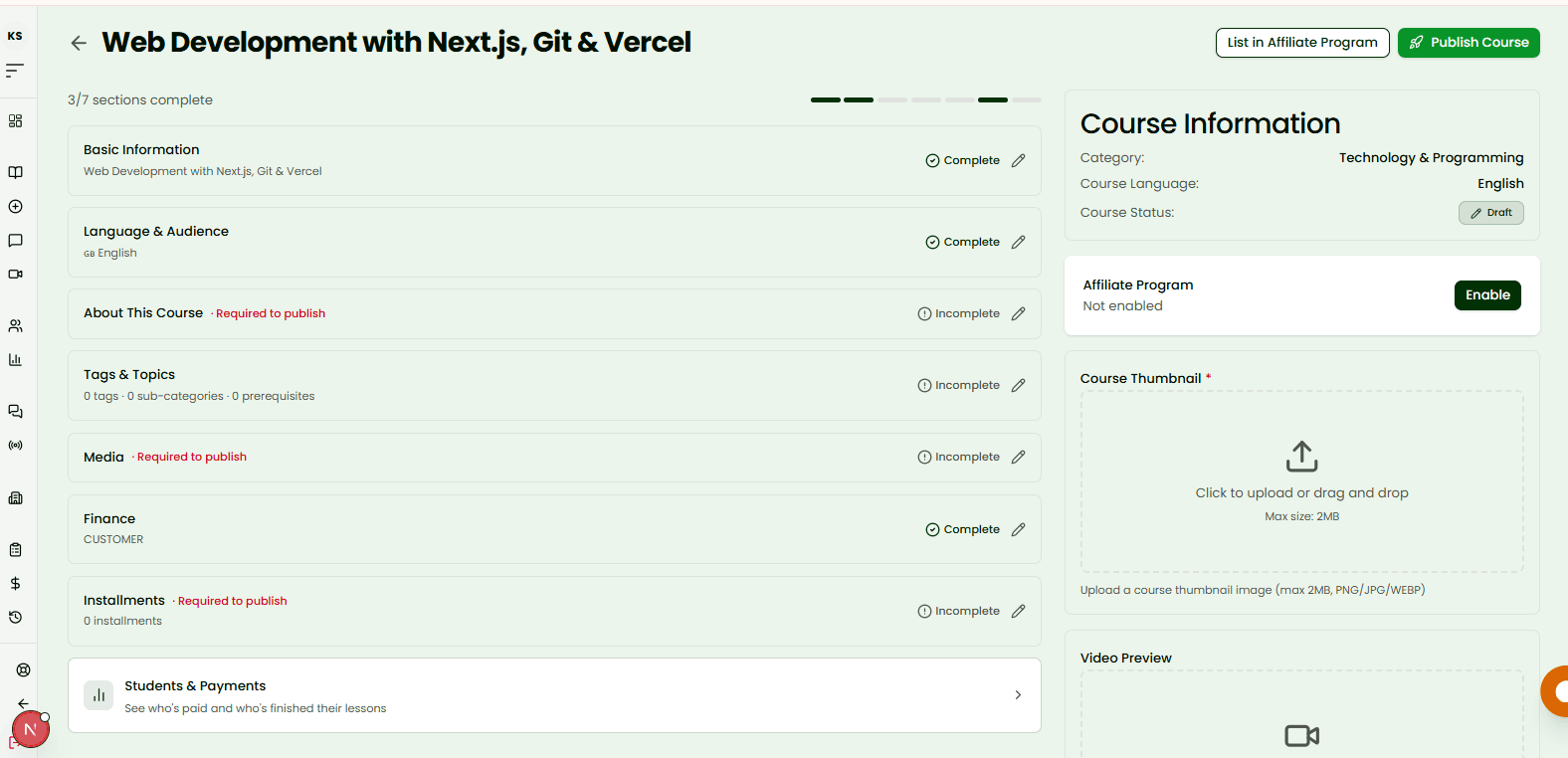
Most courses that get sent back at review are missing one of a small handful of things, almost never something complicated. Run through this list before you hit Publish, and your course goes straight into review instead of bouncing back and forth.

The course overview page showing required and optional sections

Tip

You don't need to go in order. Skim the list and check off whatever already applies to your course.

2

Your Identity Needs to Be Verified

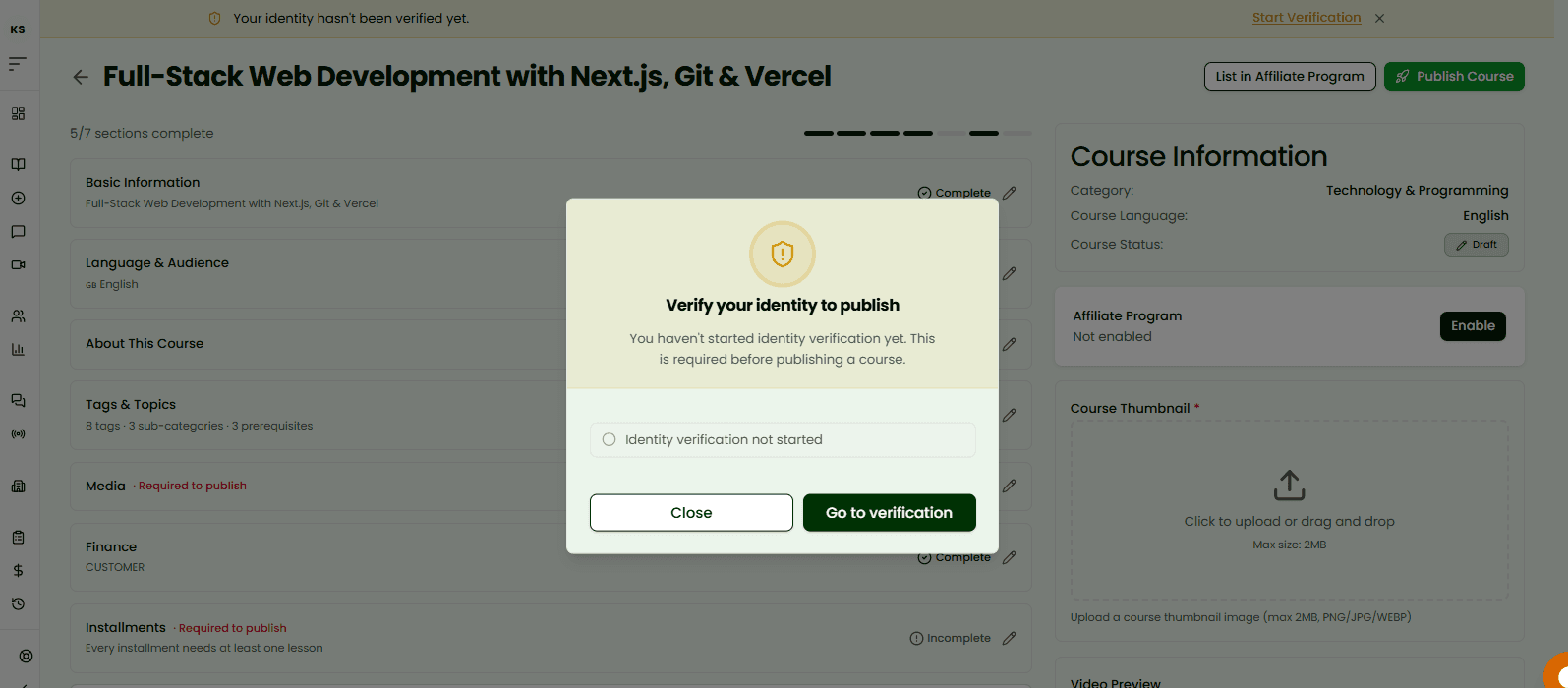
Before any course can go live, your identity verification needs to be approved (or in its grace period). This isn't specific to this course, it protects students, and once it's done it also unlocks your payouts, so it's worth getting out of the way early rather than discovering it at the last minute.

The identity verification requirement blocking a course from publishing

Tip

Already started? Checking your status only takes a few seconds from your dashboard.

See How to Complete Verification
3

Give Your Course a Real Title and Description

Your title and description both need real content, not a placeholder. But more than a technical requirement, this is the very first thing a student reads. "Introduction to Marketing" tells them nothing. "Grow Your First 1,000 Customers Without Ads" tells them exactly what they're signing up for.

The Basic Information section with title and description fields

Tip

Write your title like a headline, not a label.

4

Tell Students What They're Signing Up For

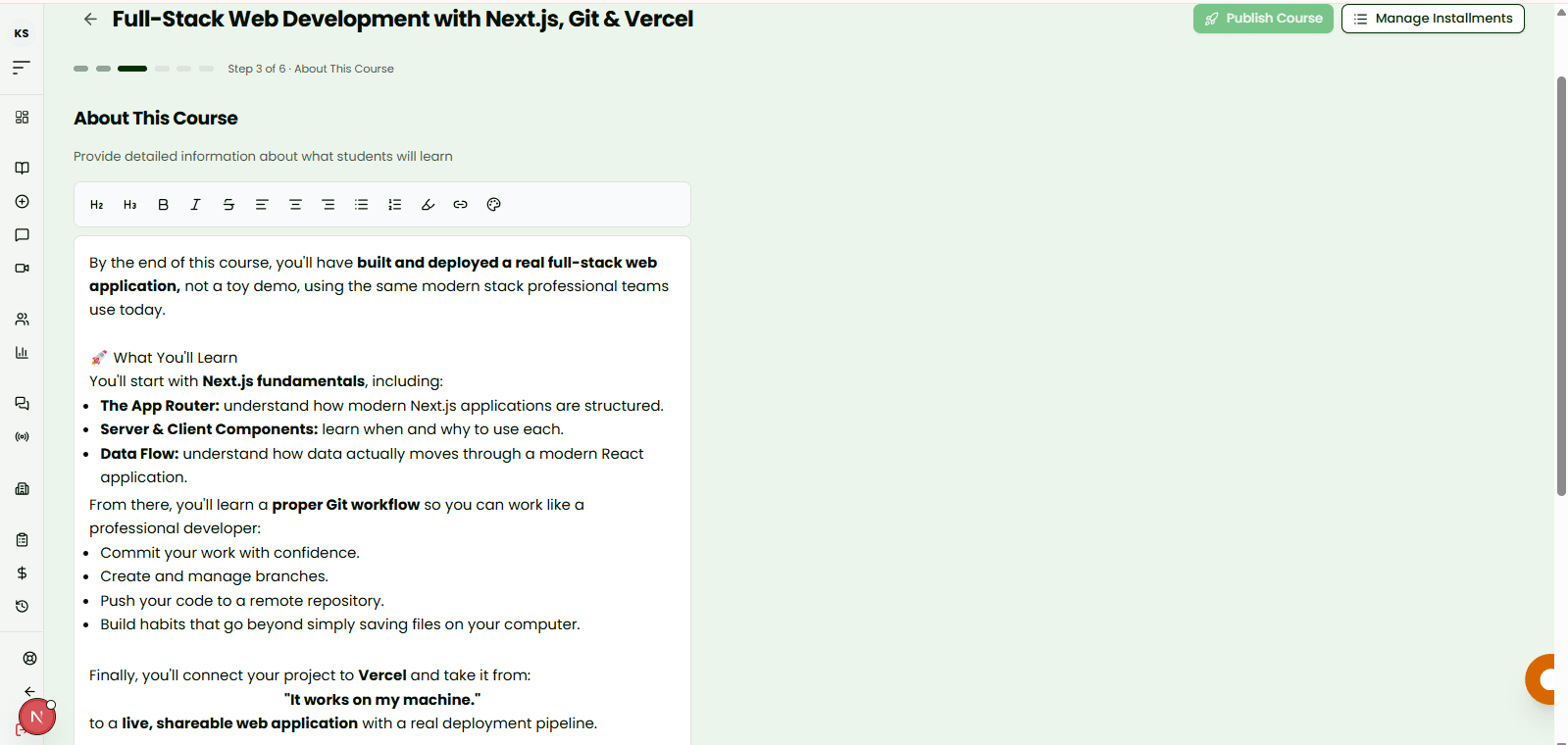
The About This Course section needs at least a short paragraph of real content, this is your actual sales pitch, not a formality. Describe what a student will be able to do by the end, not just the topics you'll cover.

The About This Course section with a completed description

Tip

Outcomes sell. "You'll be able to build a working app" beats "covers app development basics" every time.

5

Upload a Thumbnail

A course can't publish without a thumbnail, and it's also the very first thing a student sees when browsing. A clear, readable image with a strong visual beats a generic stock photo almost every time.

The thumbnail upload card on the course overview page

Tip

Keep text on the thumbnail minimal. Let the image do the work.

6

Make Sure Every Installment Has Lessons

It's not enough to just create an installment. Every single one needs at least one lesson inside it. An empty installment looks the same to a reviewer as it would to a student who just paid for it: like something's missing. If any of your installments are still empty, that's exactly what's holding up publishing.

The installments list with one module still missing lessons

Tip

This is one of the most common reasons a course gets stuck. Double-check each installment, not just the total count.

7

A Few Extras That Aren't Required, But Help

None of these will block your publish, but they're what separates a course that gets found from one that doesn't: a short preview video, a few tags so students can actually search their way to you, and deciding who covers transaction fees.

The optional video preview and tags sections

Tip

A 30-second preview video is one of the highest-impact things you can add. Students enroll in what they can already picture themselves doing.

8

Hit Publish

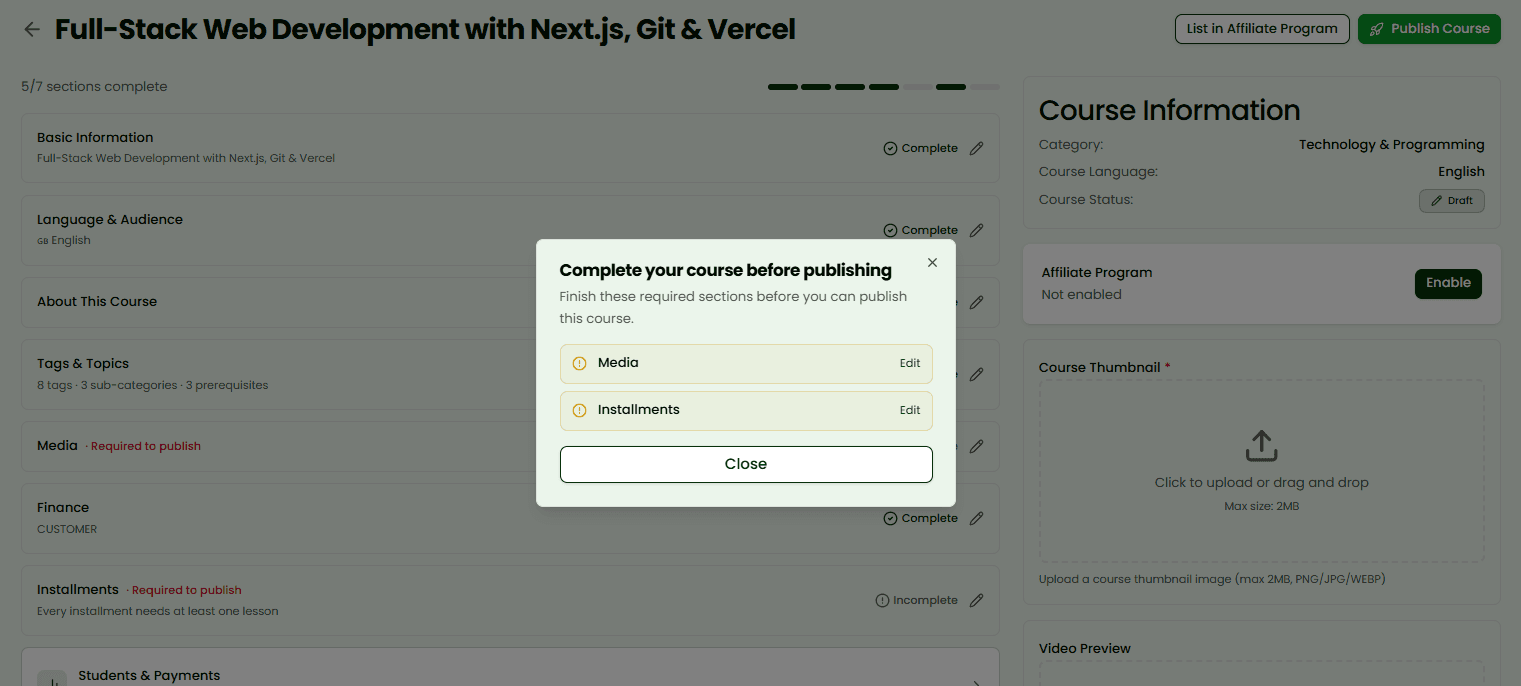
Once everything above is in place, publishing is a single click. If anything's still missing, one screen will tell you exactly what, with a direct link to fix it, no digging around to figure out what went wrong.

The Publish button and the requirements screen
9

What Happens After You Publish

Your course is held back briefly while it's reviewed, this keeps quality high for the students who'll be paying for it. You'll be notified the moment it's live. There's nothing else to do in the meantime.

The course status showing under review, then published

Tip

Keep an eye on your email and notifications, that's how you'll know the moment it's approved.

Go to Your Courses

Previous Guide

Creating a Course

Next Guide

Completing Verification